How to Change password of WHMCS Client Area. Print
- 82
To change your WHMCS password, you can either open a ticket or follow the following directions.
Step 1. Click on Hello, Your USERNAME! and select Edit Account Detils
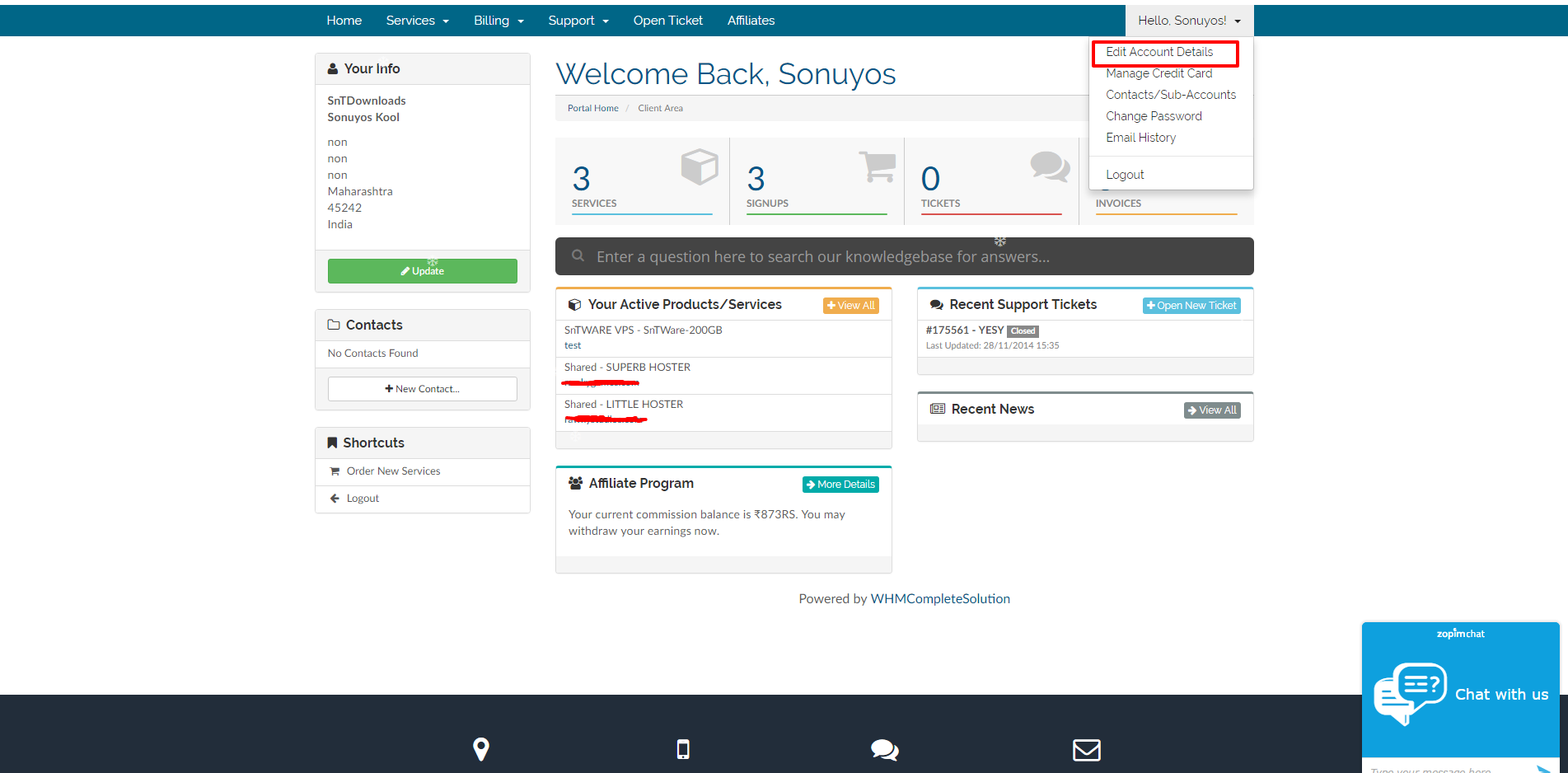
Step 2. Then click on Change Password, Enter your old password once and new password twice.

Step 3. Make Sure it is strong enough and then click Save Password.
Step 4. Incase if you run into any problem, then open a ticket - CLICK HERE FOR OPENING A TICKET
Was this answer helpful?
Related Articles
How long until my slot is activated?
Your Order can take from 1 minute upto 72 Hours to deploy, depending on availability & the...
Late Payment
We are always reasonable when it comes to helping out the clients.
We provide 24hrs Payment...
Slot Upgrade or Downgrade - Additional Disk Space or Speed Requirements
This procedure applies to upgrading or downgrading slots.
For upgrading or downgrading You do...
How to order a Seedbox?
Step 0 - Whitelist all our EMAIL, especially if you are using HOTMAIL, You won't receive single...
How to order a Remote Desktop Protocol?
Step 0 - Whitelist all our EMAIL, especially if you are using HOTMAIL, You won't receive single...